
- Home
- Fundamentals of Email Marketing
- What Are Email Blacklists, and ...


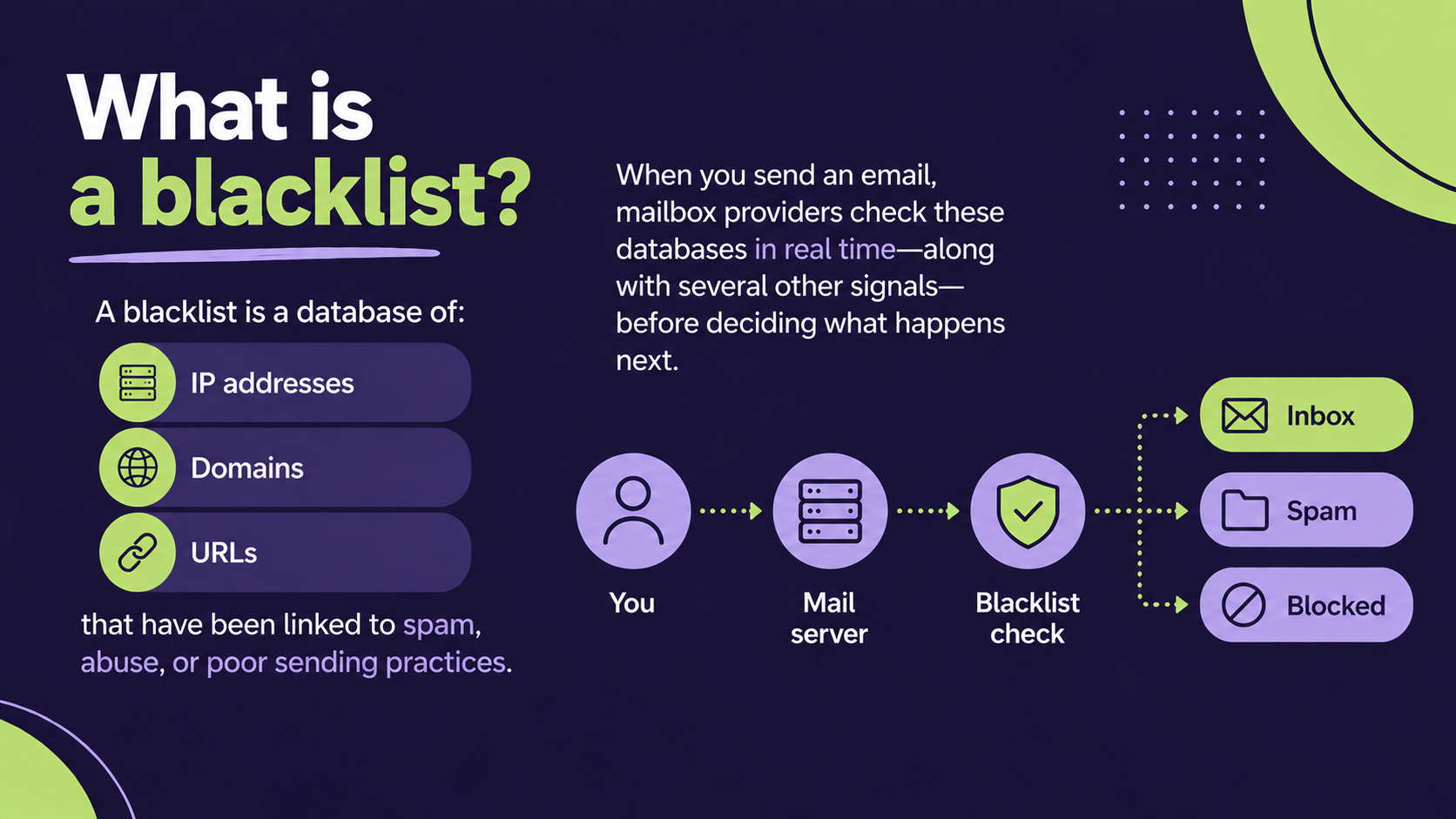
An email blacklist, also called an email blocklist, is a database of IP addresses, domains, or URLs associated with spam, abuse, compromised systems, or poor sending practices.
Mailbox providers and spam filters may check these databases when deciding whether to accept, reject, or filter a message.
But appearing on a blacklist does not automatically mean every email will be blocked.
And passing every public blacklist check does not guarantee inbox placement.
The significance of a listing depends on which asset was listed, which blacklist contains it, how widely that blacklist is used, and what other reputation signals mailbox providers see.
What happens when you send an email?
When you send a campaign, the receiving mail system evaluates several signals before deciding what to do with it.
These may include:
- The reputation of the sending IP
- The reputation of the sending domain
- SPF, DKIM, and DMARC authentication
- Recipient spam complaints
- List quality
- Sending volume and consistency
- Links and domains inside the message
- Previous activity associated with the sender
- Relevant blocklist data
The mailbox provider may then accept the message, filter it into spam, defer it temporarily, or reject it.
A blacklist check forms only one part of this decision.
What can appear on an email blacklist?
Email blocklists can flag different parts of your sending operation.
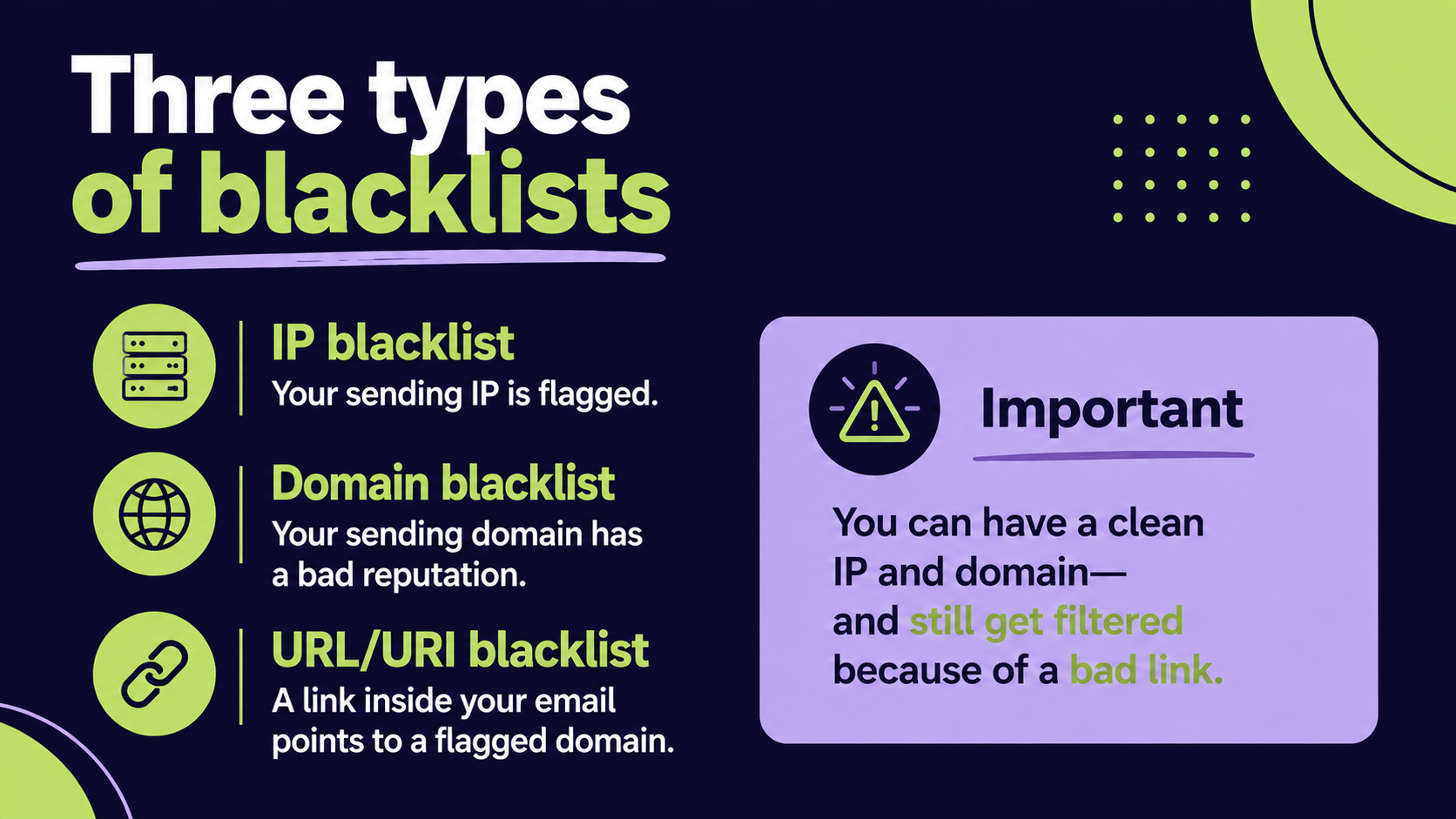
1. Your sending IP address
Every email originates from an IP address.
If an IP has been connected to spam, compromised accounts, spam traps, or other abusive traffic, a blocklist may add it to its database.
This matters especially when you operate your own sending infrastructure or use a dedicated IP.
If you use a shared IP through an email service provider, the behavior of other senders using that IP may also affect its reputation. Google warns that activity from every sender on a shared IP contributes to that IP’s reputation.
2. Your sending domain
A blocklist may flag the domain shown in your sender details, authentication, or message links.
Changing the sending IP will not necessarily solve a domain reputation problem.
Spamhaus notes that domain and IP reputations can affect each other and that legitimate senders build reputation over time by using stable domains and infrastructure.
3. A URL inside your email
Your sending IP and domain may be clean while a linked website, tracking domain, redirect, or third-party resource has a poor reputation.
This is why a campaign can experience filtering after adding a new link, even when the sender’s main domain remains unchanged.
Review all domains used inside the email, including tracking and shortened links.
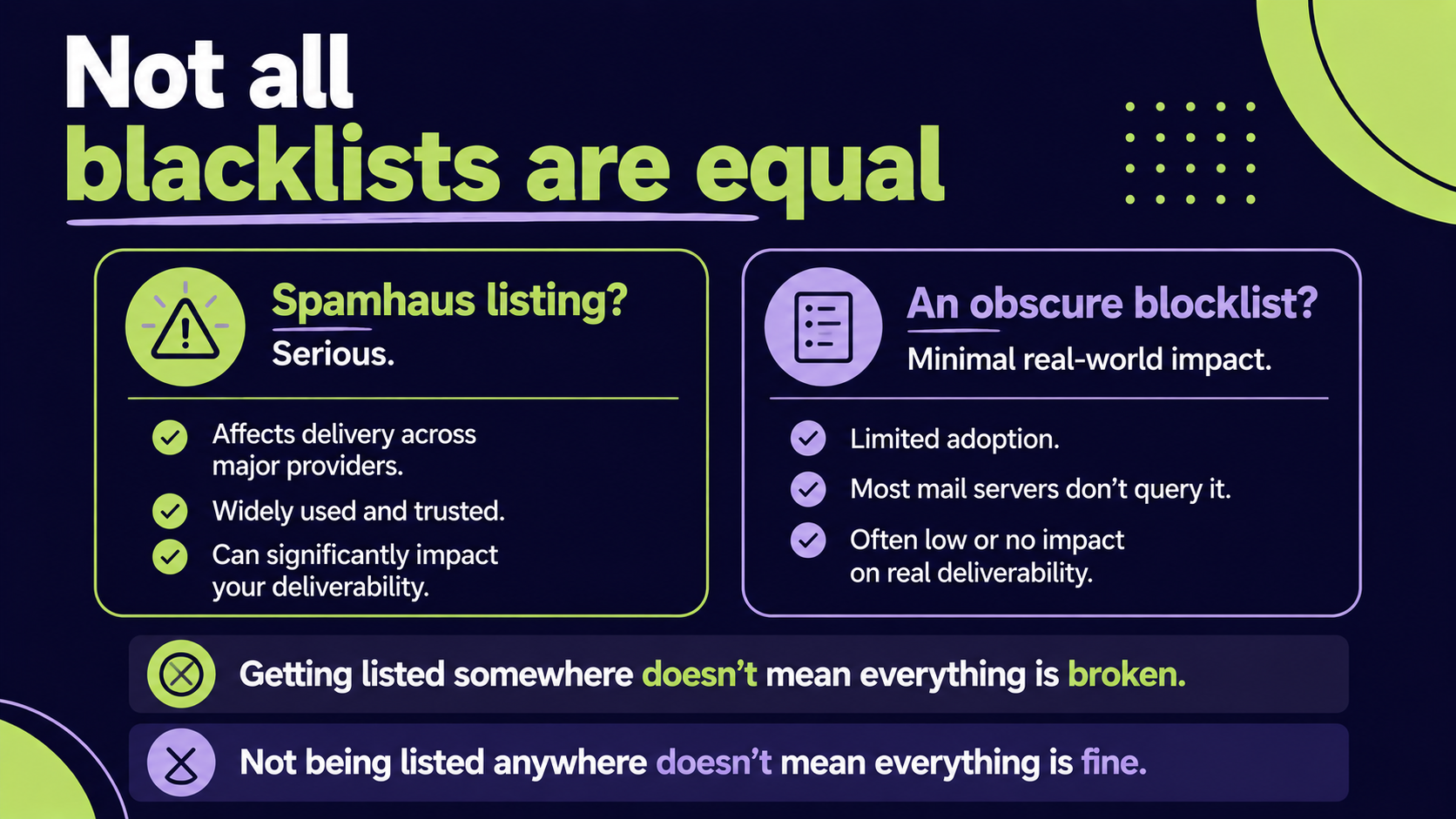
Are all email blacklists equally important?
No.
The internet contains many public blocklists, and receiving systems do not use all of them.
A listing on a widely used service such as Spamhaus can have a significant effect because many mail systems consult its data.
An obscure blacklist with limited adoption may have little or no measurable effect on your campaigns.
Before reacting to a result from a blacklist-checking website, ask:
- Which blacklist contains the listing?
- What exactly was listed?
- Do the mailbox providers important to your audience use it?
- Did delivery problems begin at the same time?
- Are bounces or SMTP responses identifying that list?
- Is the listing affecting one provider or the entire campaign?
The presence of your IP on one list does not prove that the listing caused the delivery problem.
Why do legitimate senders get blacklisted?
Most listings originate from problems with list quality, consent, infrastructure, or sending behavior.
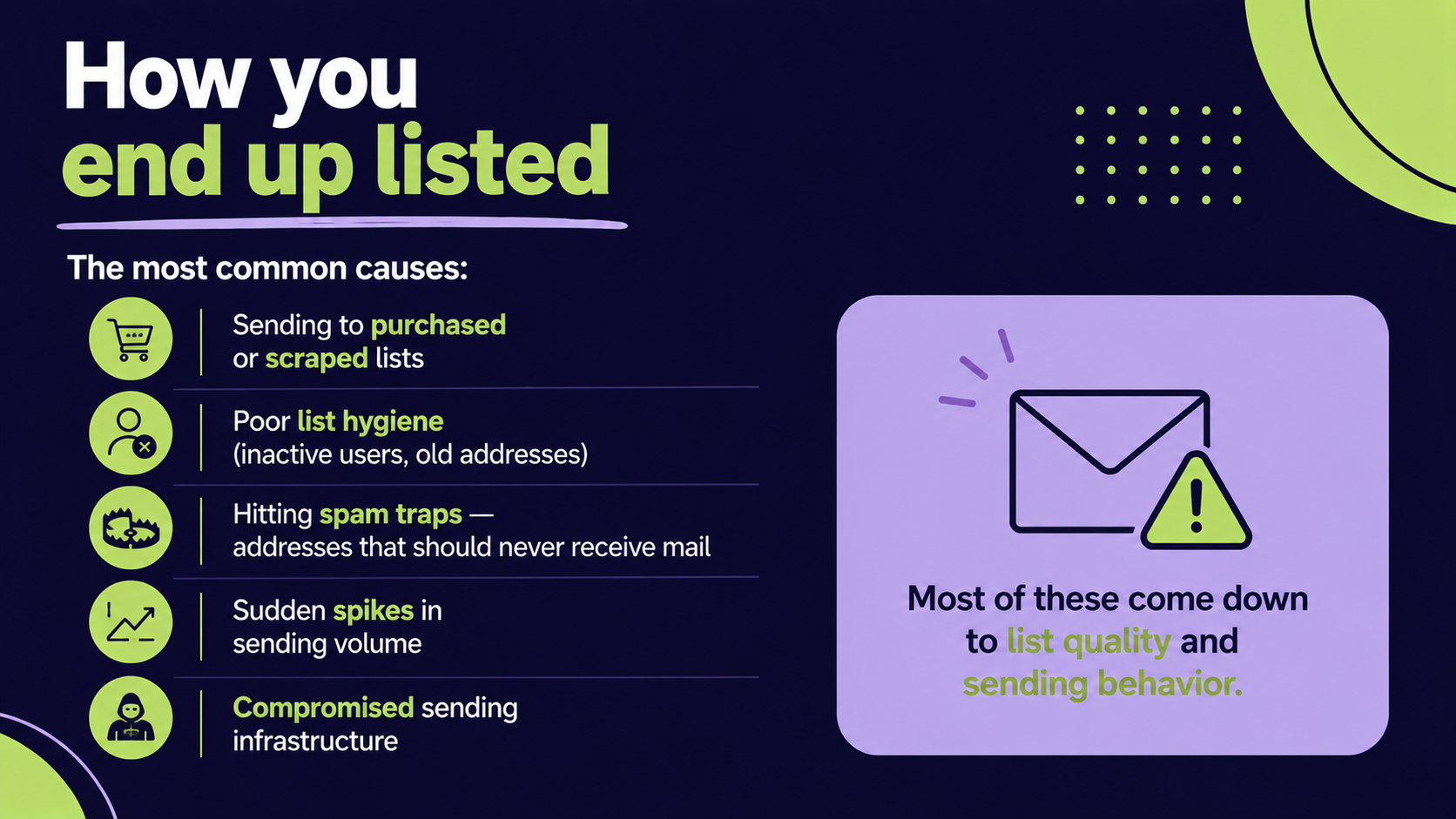
Sending to old or purchased lists
People may no longer remember subscribing to an old list. Some addresses may have become invalid or turned into spam traps.
Purchased and scraped lists create even greater risk because the recipients did not directly request the messages.
Spamhaus identifies lack of permission as one of the most common reasons for a listing. Its guidance emphasizes sending only to people who requested the email and maintaining correctly configured infrastructure.
High spam complaint rates
When recipients repeatedly report your messages as spam, mailbox providers and reputation services receive a strong negative signal.
Gmail recommends keeping the user-reported spam rate below 0.1% and avoiding 0.3% or higher.
Hitting spam traps
Spam traps are addresses used to identify questionable list collection and maintenance practices.
A trap hit may indicate that the list contains very old addresses, unverified contacts, scraped data, or recipients acquired without proper consent.
Sudden increases in sending volume
A sender who normally sends 5,000 emails and suddenly sends 100,000 can look suspicious.
Google advises senders to increase volume gradually, send consistently, and monitor deferrals, server responses, complaint rates, and reputation during the increase.
Compromised accounts or infrastructure
An attacker may use a compromised account, server, or API key to distribute spam.
The legitimate organization may discover the problem only after reputation has already declined.
Incorrect sending infrastructure
Missing or incorrect authentication, reverse DNS problems, invalid HELO settings, and poorly configured servers can contribute to reputation problems.
Authentication alone does not guarantee good delivery, but it provides a necessary foundation.
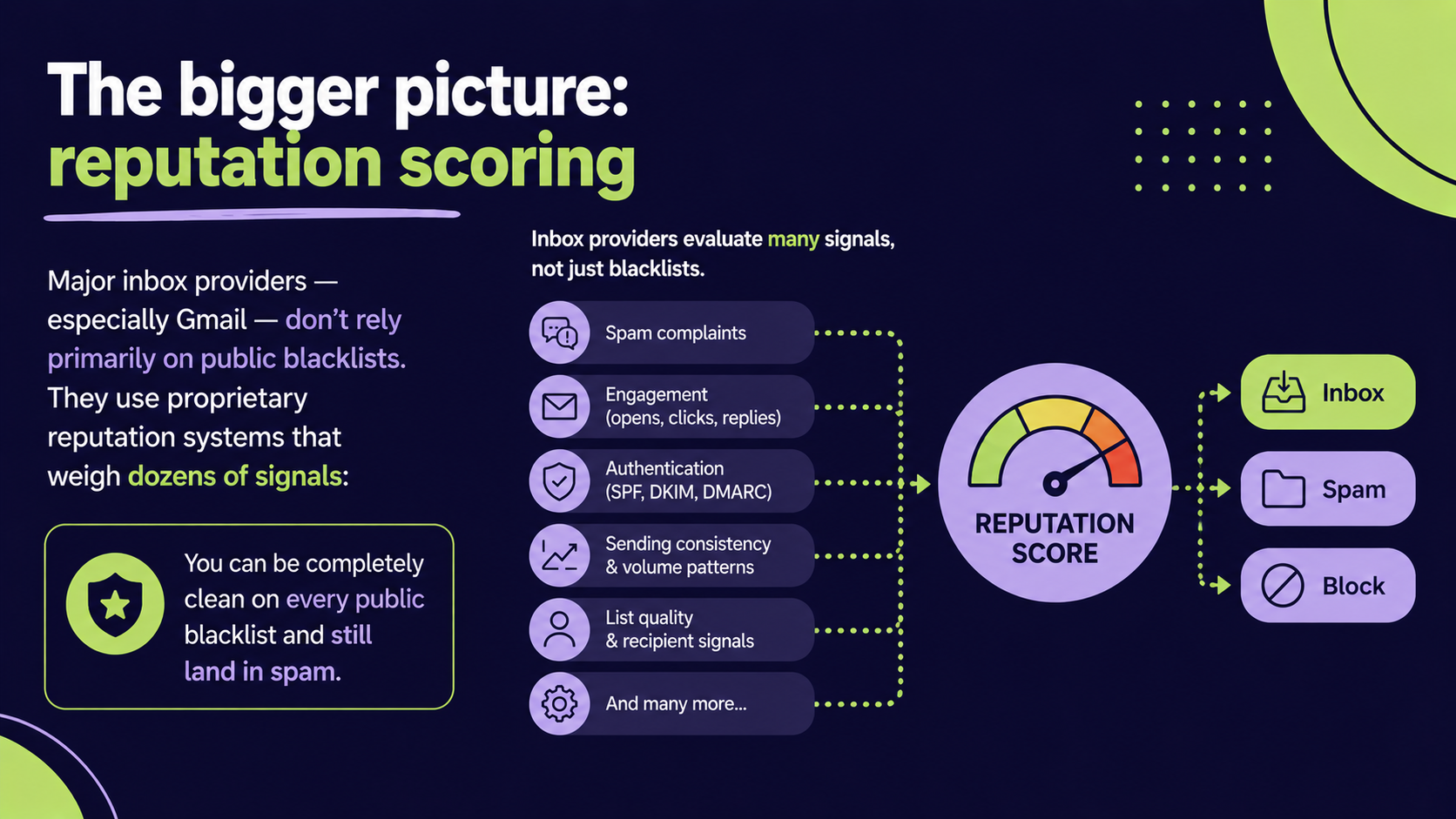
Can you have no blacklist listings and still land in spam?
Yes.
Major mailbox providers maintain their own reputation and filtering systems. Public blacklist status does not reveal everything those systems know about a sender.
Gmail’s Postmaster Tools reports spam complaints, authentication, delivery errors, and domain or IP reputation. Google also states that its spam decisions consider factors beyond third-party spam reports, including suspicious sending behavior.
A sender can pass every public blacklist check and still have problems caused by:
- High complaints
- Poor list engagement
- Unwanted email
- Sudden volume changes
- Authentication failures
- Low domain reputation
- A weak sending history
- Content or links associated with abuse
- Provider-specific filtering
A clean blocklist report means only that the checked services did not currently list the asset.
It does not provide an inbox guarantee.
Is delisting enough to restore deliverability?
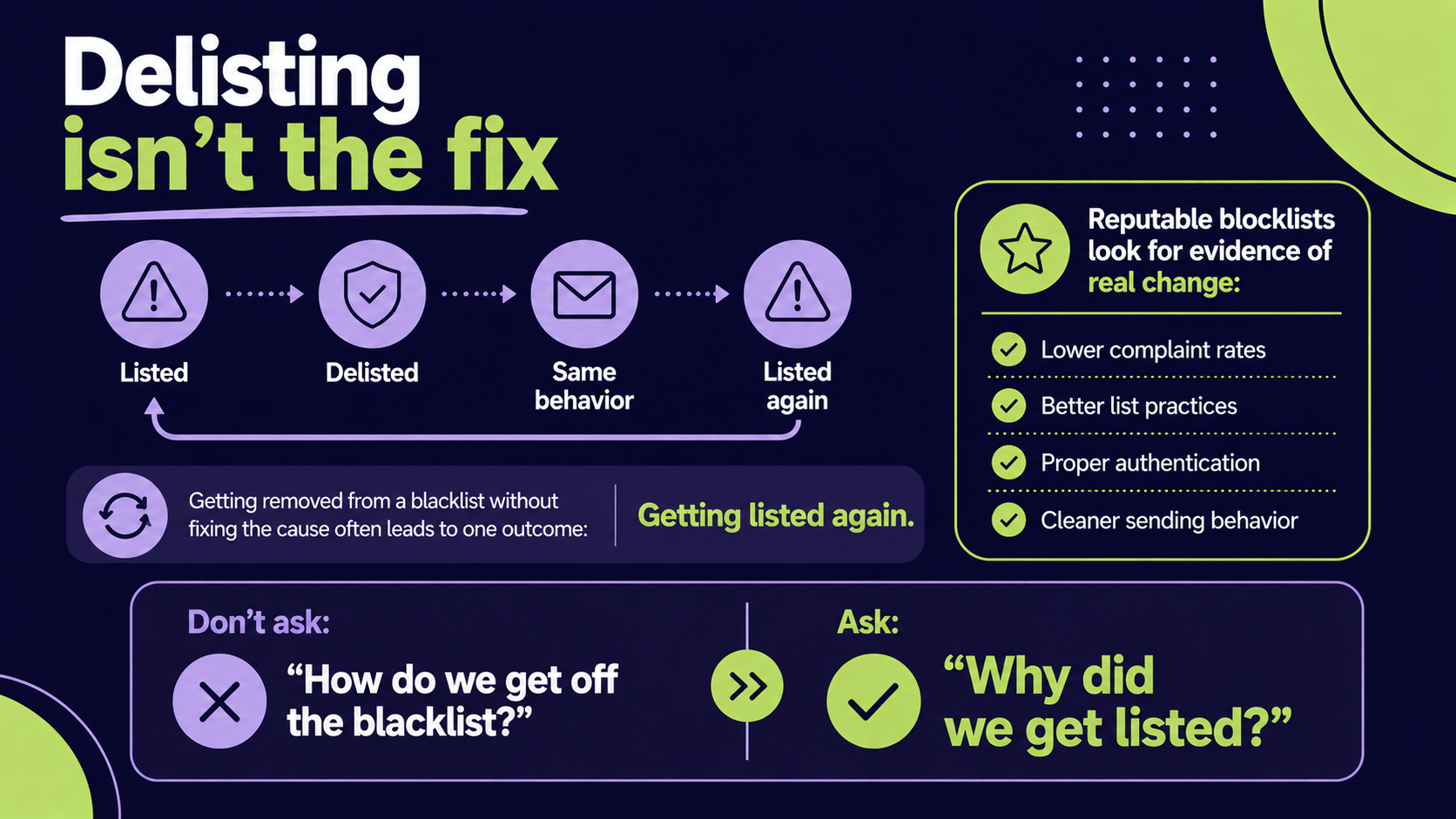
Usually not.
Delisting removes the visible listing. It does not automatically repair the behavior that caused it.
If you request removal while continuing to send to the same problematic list, you may quickly be listed again.
Spamhaus states that its domain listings are continually reevaluated and can return when its systems detect the associated activity again.
Before requesting removal, investigate:
- When the problem started
- Which IP, domain, or URL was listed
- Which campaigns used that asset
- Where the affected contacts came from
- Whether complaint, bounce, or trap activity increased
- Whether an account or API key was compromised
- Whether sending volume changed suddenly
- Whether authentication and DNS are correct
Then fix the underlying problem and follow the blocklist operator’s official removal process.
Never pay an unknown third party that promises guaranteed delisting. Reputable blocklist operators provide their own diagnostic and removal procedures. Spamhaus, for example, states that it never charges for removal.
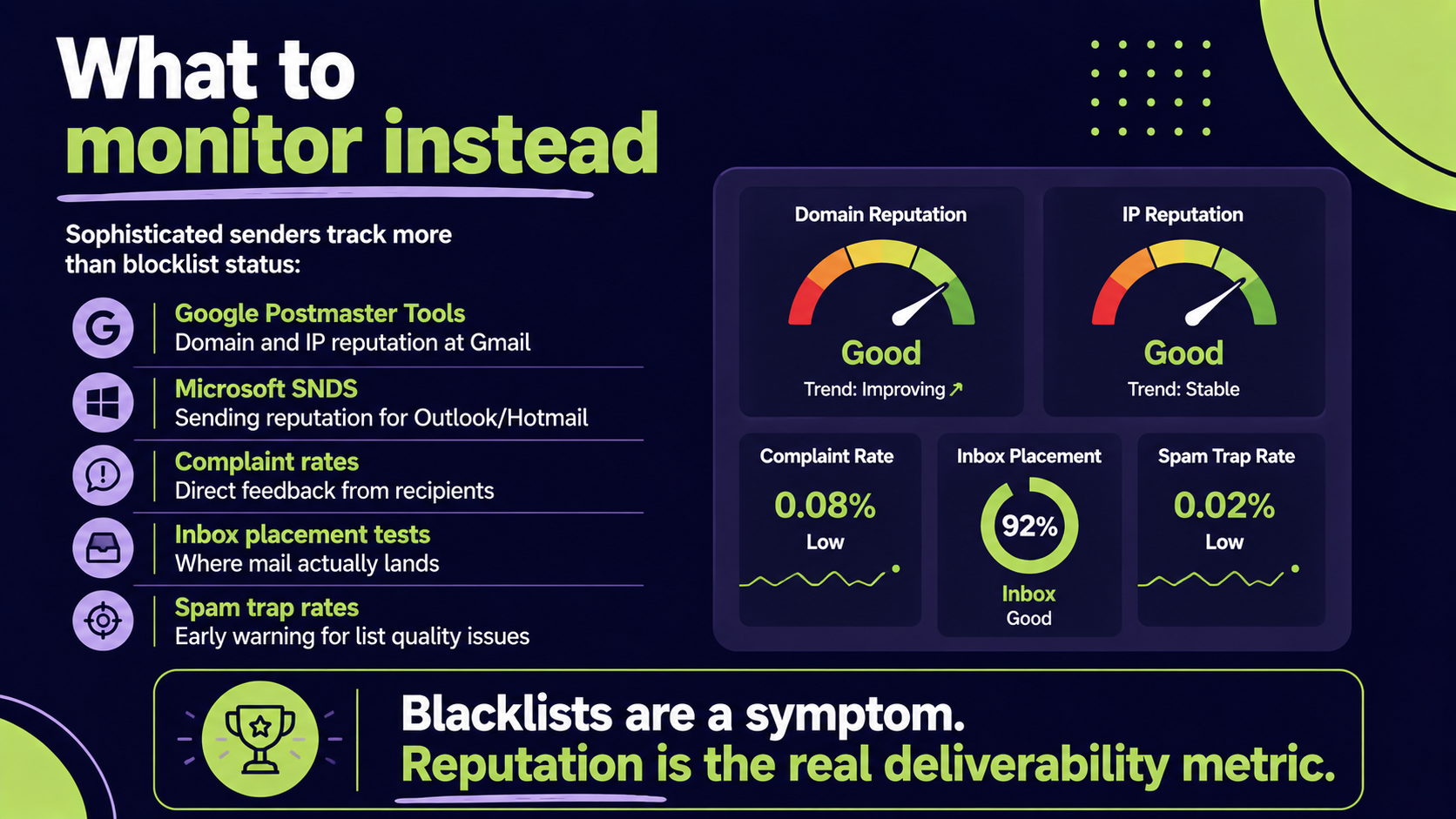
What should email senders monitor instead?
Blocklist status deserves a place in your monitoring, but it should not become your only deliverability metric.
Gmail Postmaster Tools
Google Postmaster Tools can show information about:
- User-reported spam
- Domain and IP reputation
- Authentication
- Delivery errors
- Encryption
- Gmail sender-guideline compliance
Its data applies to messages sent to personal Gmail accounts and may be limited when the sending volume is too low.
Microsoft SNDS and JMRP
Microsoft’s Smart Network Data Services provides reputation information for sending IPs reaching Outlook.com users.
The same portal includes the Junk Email Reporting Program, which provides feedback when recipients mark messages as junk. Microsoft moved SNDS to a new portal in 2026.
Complaint rates
Track complaints by provider, campaign, segment, and acquisition source.
A sudden increase can reveal irrelevant targeting, unclear consent, excessive frequency, or a problematic list source.
Inbox placement
Delivery and inbox placement describe different outcomes.
A delivered email may still land in spam or another filtered folder. Seed testing and provider-level reporting can help you understand where messages actually appear.
Spam-trap activity
Trap hits can offer an early warning that a list source or maintenance process needs investigation.
Bounce and deferral responses
Read the complete SMTP response instead of relying only on a dashboard label.
The response may identify an authentication failure, reputation problem, rate limit, blocklist, or temporary provider issue.
What should you do after discovering a blacklist listing?
Use this sequence:
- Confirm the listing through the blacklist operator’s official checker.
- Identify whether the IP, domain, or linked URL is affected.
- Review bounce messages and provider-level delivery data.
- Pause the traffic associated with the problem if necessary.
- Examine recent list sources, campaigns, and volume changes.
- Remove invalid, unconsented, and problematic addresses.
- Check SPF, DKIM, DMARC, PTR, HELO, and account security.
- Fix the behavior or configuration that caused the listing.
- Follow the official removal instructions.
- Resume sending gradually while monitoring complaints and reputation.
The bottom line
Email blacklists matter, but they are only part of the deliverability picture.
A significant listing may contribute to blocking or spam placement. An obscure listing may have no noticeable effect. A clean blacklist report may coexist with poor reputation and serious inbox-placement problems.
Do not ask only:
How do we get off this blacklist?
Ask:
Why were we listed, and what does the rest of our reputation data show?
A blacklist entry is often a symptom.
Your sending reputation is the larger issue.
Frequently asked questions
What is an email blacklist?
An email blacklist or blocklist is a database containing IP addresses, domains, or URLs associated with spam, abuse, compromised systems, or poor sending behavior.
Does being blacklisted mean all emails will be blocked?
No. The impact depends on the blacklist, the listed asset, the receiving provider, and the sender’s wider reputation.
Can a link inside an email cause spam filtering?
Yes. A flagged destination, tracking domain, redirect, or shortened URL can contribute to filtering even when the main sending domain and IP are clean.
Can emails land in spam when the sender is not blacklisted?
Yes. Mailbox providers use private reputation and filtering systems that consider complaints, authentication, sending patterns, list quality, and other signals.
How can I check whether my domain or IP is blacklisted?
Use the official checker provided by the relevant blocklist operator. Confirm the result there before taking action based on a third-party scanning tool.
How do I remove an IP or domain from a blacklist?
First fix the cause of the listing. Then follow the official removal instructions from the blacklist operator. Removal without a behavioral or technical fix may lead to another listing.
What metrics should I monitor besides blacklists?
Monitor domain and IP reputation, complaint rates, authentication, delivery errors, inbox placement, spam-trap activity, bounces, deferrals, and list quality.


 Your Privacy Choices
