
- Home
- Science-Backed Marketing Insights
- What Happens When Someone Mark ...




When someone marks your email as spam, the complaint may affect more than that individual subscriber. The mailbox provider records a negative signal, a complaint report may be sent to your email platform, and when the subscriber can be identified, the address is usually suppressed from future marketing emails.
The complaint also contributes to your spam complaint rate. If that rate becomes too high, your sender reputation and inbox placement may suffer.
Here are five questions every email marketer should be able to answer about spam complaints.
1. What happens after someone marks your email as spam?
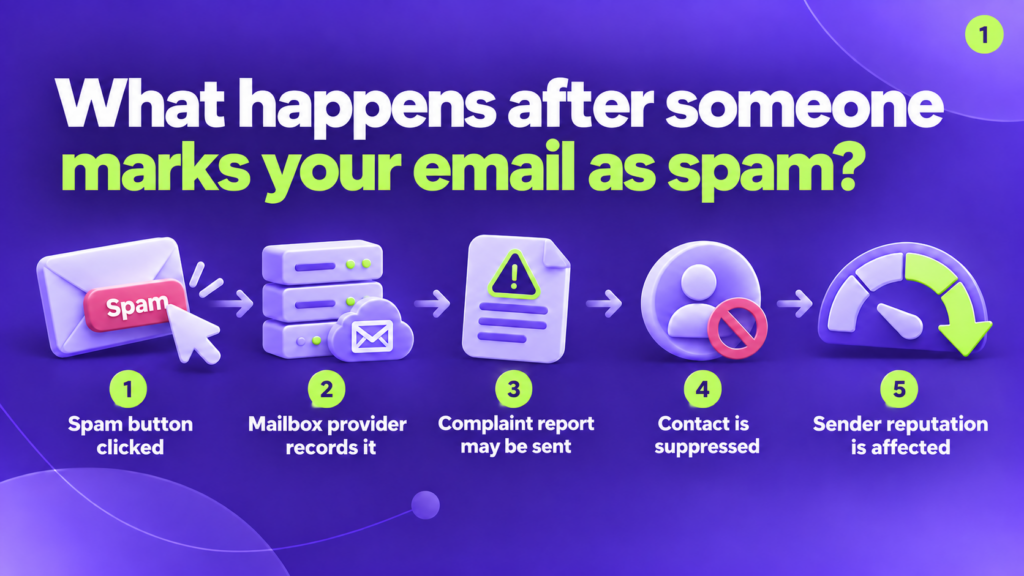
The process usually looks like this:
- The recipient clicks “Report spam.”
- The mailbox provider records the complaint.
- A complaint report or aggregated feedback may be made available to the sender.
- The email address may be suppressed from future marketing messages.
- The complaint contributes to the sender’s reputation signals.
The important word here is may.
Not every mailbox provider returns an identifiable complaint report. Some feedback systems provide aggregated campaign data rather than revealing which subscriber complained. This means your email platform cannot always connect the complaint to a specific contact.
Even when the individual address is unavailable, the complaint still matters. The mailbox provider has recorded the recipient’s decision, and that signal can influence how it treats your future emails.
2. How many spam complaints can damage sender reputation?
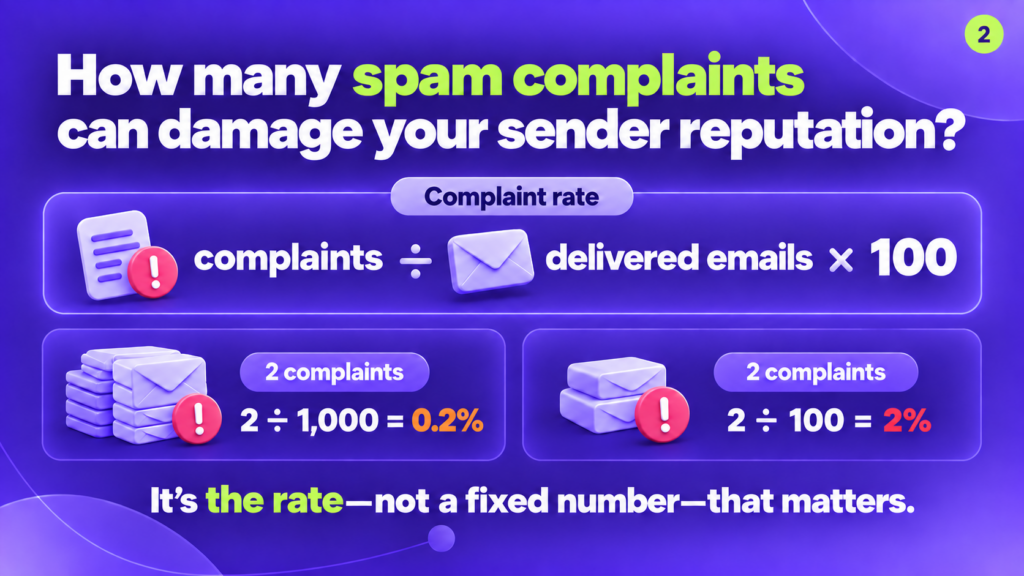
There is no universal number of complaints that is safe for every sender. The complaint rate matters more than the raw number.
A basic calculation is:
Spam complaint rate = complaints ÷ delivered emails × 100
For example:
- 2 complaints from 1,000 delivered emails = 0.2%
- 2 complaints from 100 delivered emails = 2%
- 30 complaints from 10,000 delivered emails = 0.3%
The same number of complaints can therefore have a very different impact depending on your sending volume.
Google recommends keeping the user-reported spam rate shown in Postmaster Tools below 0.1% and avoiding 0.3% or higher. Yahoo also requires senders to remain below 0.3%.
Treat 0.3% as an upper boundary, not a target. A complaint rate between 0.1% and 0.3% can already indicate that something needs attention.
Also remember that complaint-rate calculations can vary between providers and reporting tools. Gmail and Yahoo base their figures on messages delivered to the inbox, while your email platform may use a different denominator. Your internal dashboard may therefore show a different rate from the mailbox provider’s reporting.
3. What is the difference between a spam complaint and an unsubscribe?
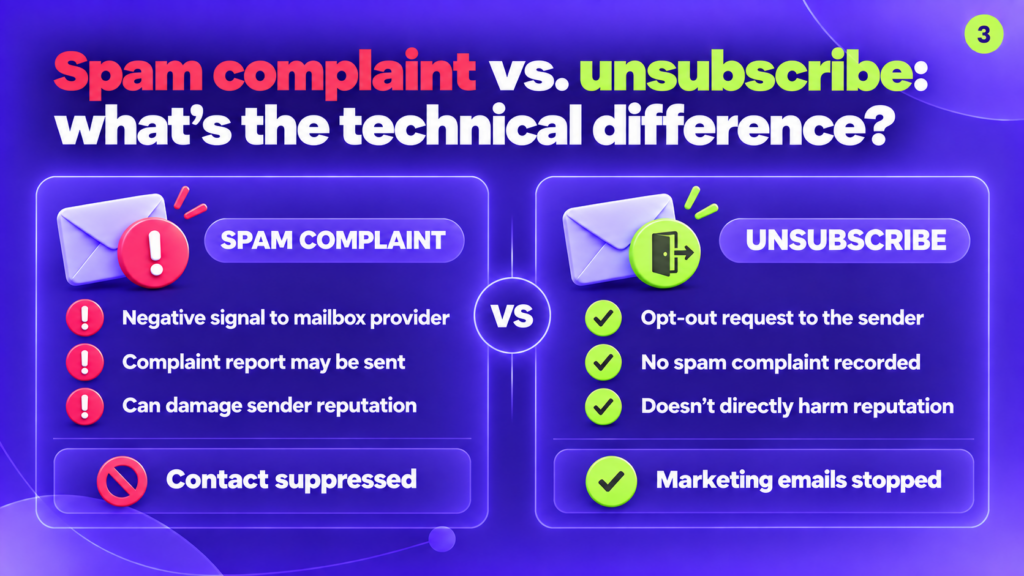
A spam complaint and an unsubscribe may both remove someone from your marketing audience, but they send very different signals.
Spam complaint
When a subscriber marks an email as spam:
- The mailbox provider records negative feedback.
- The complaint contributes to sender-reputation signals.
- A complaint report may be sent to the sender or email platform.
- The contact should no longer receive promotional messages.
- Future emails from the sender may be filtered more aggressively.
Unsubscribe
When a subscriber uses the unsubscribe link:
- The request goes directly to the sender.
- No spam complaint is recorded.
- Marketing emails to that subscriber should stop.
- The action does not directly damage sender reputation.
An unsubscribe is therefore the healthier outcome.
A visible, simple unsubscribe option gives people a safe way to leave before frustration turns into a spam complaint. Hiding the link, using a tiny font or forcing subscribers to log in may reduce recorded unsubscribes, but it can increase complaints instead.
4. Does a spam complaint automatically suppress the contact?
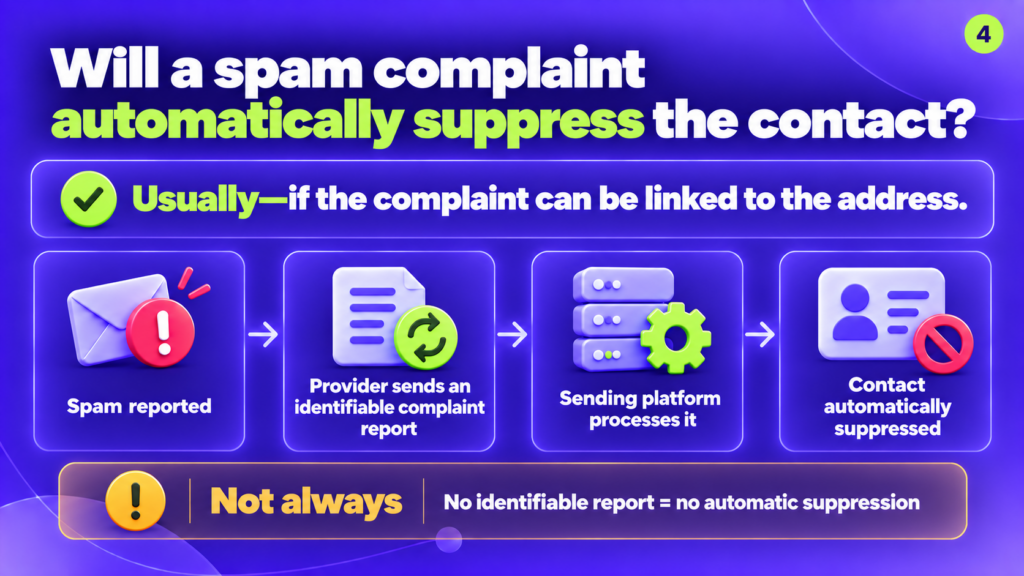
Usually… but not always.
If the mailbox provider returns an identifiable complaint report, the sending platform can connect the complaint to the subscriber and automatically suppress that address from future marketing campaigns.
The process may look like this:
- The recipient reports the message as spam.
- The mailbox provider produces an identifiable complaint report.
- The sender or email platform processes the report.
- The subscriber is added to a suppression list.
However, some providers do not disclose the individual complainant. Gmail’s feedback loop, for example, helps senders identify campaigns with unusually high complaint activity but does not operate as a standard subscriber-level complaint feed.
When the address cannot be identified, automatic suppression may not be possible—even though the complaint still affects the sender’s metrics.
This is why marketers should not rely entirely on automatic suppression. Monitor complaint activity by campaign, segment, source and sending frequency. A sudden increase can reveal a problem even when you cannot see every complaining address.
5. Can someone mark a transactional email as spam?
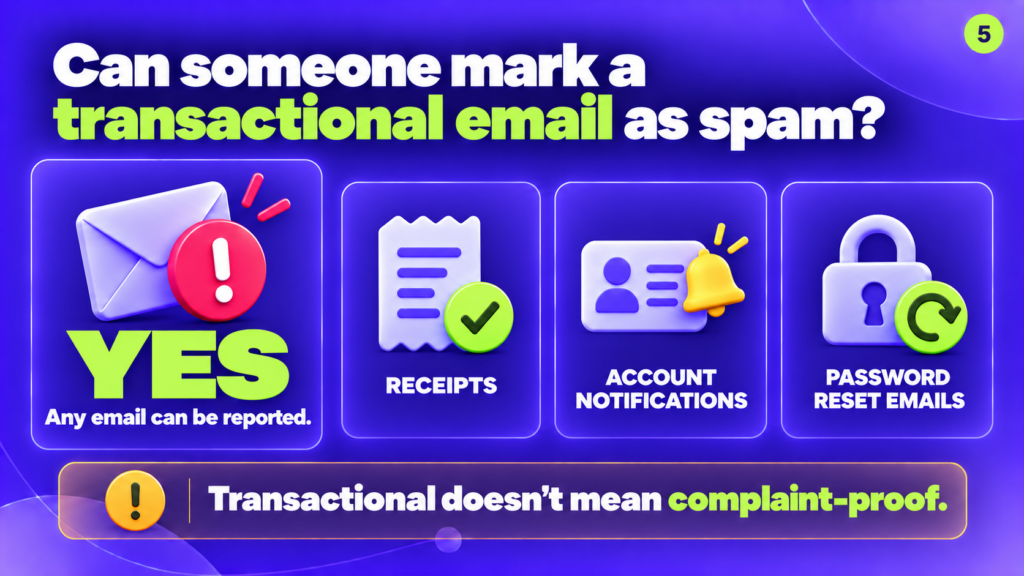
Yes. Any message displayed in a mailbox can potentially be reported as spam, including:
- Purchase receipts
- Account notifications
- Password-reset messages
- Booking confirmations
- Security alerts
“Transactional” describes the purpose of the email. It does not make the message complaint-proof.
A transactional email may receive complaints when:
- The recipient does not recognize the sender.
- The message was triggered unexpectedly.
- The company sends too many service notifications.
- Promotional content is mixed into operational emails.
- An account was created with the wrong or mistyped address.
- The message looks suspicious or lacks context.
Transactional and promotional emails should be managed as separate streams. A promotional unsubscribe should stop marketing messages, but it should not necessarily prevent essential account, security or purchase communications.
If transactional complaints begin increasing, review the trigger, sender identity, subject line, message frequency and the amount of promotional content included.
What should you do after receiving a spam complaint?
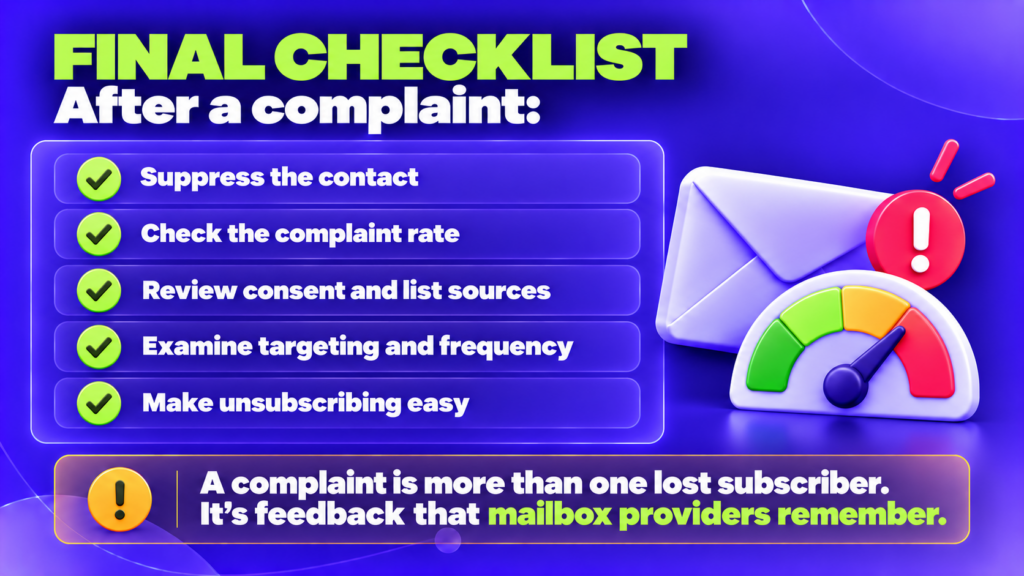
Use this checklist:
Suppress the contact when possible
If the complaint can be linked to a subscriber, stop sending that person promotional messages. Continuing to send after a complaint creates additional risk.
Check the complaint rate
Do not review complaints only as a raw total. Calculate the rate and compare it across campaigns, audience segments and mailbox providers.
Review consent and list sources
Confirm that subscribers knowingly requested your emails. Pay particular attention to imported contacts, old lists, partner data and addresses collected without clear expectations.
Examine targeting and frequency
A legitimate subscriber can still complain if the content is irrelevant or the sending frequency changes unexpectedly.
Check whether automations are overlapping with regular campaigns. Someone who expected one weekly email may become frustrated after receiving several automated messages on top of it.
Make unsubscribing easy
Use a clear unsubscribe link and support one-click unsubscribe for promotional mail. Do not make leaving harder than reporting the message as spam.
The main takeaway
A spam complaint represents more than one lost subscriber.
It tells the mailbox provider that a recipient did not want or trust the message. Enough of those signals can affect how future emails are filtered—even for subscribers who still want to hear from you.
Keep complaint rates low by sending to people who clearly opted in, setting accurate expectations, controlling frequency and making unsubscribing effortless.
The best time to prevent a complaint is before the subscriber feels that the spam button is their easiest way out.
Frequently asked questions
Does one spam complaint damage sender reputation?
One complaint is unlikely to destroy an established reputation by itself, but its impact depends on your sending volume and complaint history. For small campaigns, even a few complaints can create a high rate.
What is considered a high spam complaint rate?
Google recommends staying below 0.1% and avoiding 0.3% or higher. Yahoo requires senders to remain below 0.3%. Lower is safer.
Should someone who reports spam be removed from the list?
Yes, the address should be suppressed from promotional email when the subscriber can be identified.
Is an unsubscribe counted as a spam complaint?
No. An unsubscribe is an opt-out request sent to the sender. It does not create the same negative mailbox-provider signal as clicking “Report spam.”
Can transactional emails receive spam complaints?
Yes. Receipts, alerts, password resets and other transactional emails can all be reported as spam.




 Your Privacy Choices
