Creating & managing groups
Contact groups are the foundation of your email marketing in Sendigram. They let you organize subscribers, target campaigns, and track performance effectively. Managing groups properly ensures clean data, better segmentation, and higher deliverability.
1. What is a group?
A group is a collection of email addresses organized for sending campaigns. Groups help you separate different audiences — for example:
- Newsletter subscribers
- Customers
- Leads or prospects
- Event attendees
2. Creating a new group
- Go to Contacts → Groups.
- Click Create a group.
- Enter a group name and (optionally) a description.
- Click Confirm— the new group will appear in your Contacts section.
3. Adding contacts to a group
- Manually: Add one contact at a time.
- Import: Upload multiple contacts from a CSV or Excel file.
4. Renaming a group
- Go to Contacts → Groups.
- Click on the group you want to edit.
- Click three dots in the Actions column.
- Select Rename and enter a new name.
- Confirm your changes.
5. Deleting a group
- Select the list in Contacts → Groups.
- Click on the group you want to delete.
- Click three dots in the Actions column.
- Choose Delete.
- Confirm deletion.
⚠️ Important: Deleting a group permanently removes the group structure, but contacts may still exist in other groups if they were added there.
6. Group Statistics
Each group provides key data, including:
- Total contacts number
- Click rate and Open rate
- Active, inactive, and unsubscribed contacts
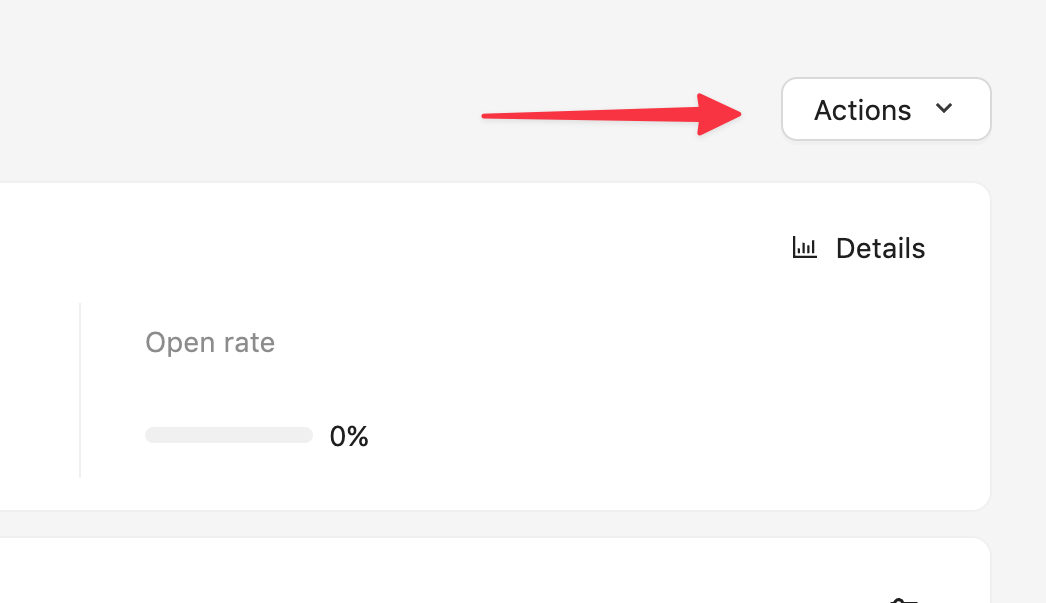
- Growth trends over time and other useful data. In order to access it click the Details button under the Actions button. This will take you to the page dedicated to this group in the Statistics section.
7. Best Practices for managing groups
- Create separate groups for different purposes instead of mixing audiences.
- Use segments inside groups for fine targeting (e.g., active users vs. inactive users).
- Keep groups clean by removing invalid and inactive contacts regularly.
- Avoid uploading purchased contact lists — they harm your deliverability and sender reputation.
- Give your groups clear names so your team can easily identify them.
Still have questions?